If there’s one thing you hear a lot these days, it’s probably that retail is changing. For a while, people believed online shopping would mean the end of in-person or brick-and-mortar stores. What’s instead happened is that the line between online and in-person shopping has become blurred. Consumers might start shopping online, for instance, but end up completing their purchases in-store. Along with shopping habits, another thing that has changed in the retail industry is how people complete their purchases and pay for their products. Although cash is still king for about one-quarter of Americans, the use of cash as a portion of the U.S. gross domestic product is expected to fall slightly (to 11.2% from 12.6%) by 2021. In deciding how to pay for products, people are more likely to use their debit or credit card when they’re making a large purchase, saving cash for smaller purchases. In 2016, the average cash purchase was $22, compared to $112 for transactions paid for using other payment methods. The shift in payment methods also means retailers have had to adjust how they accept payments. At one point, everything was kept separately. A merchant might have rung a purchase up on a cash register, and then used an imprinter to capture an impression of a person’s credit card. The retailer would manually type the card number and expiration date into a terminal to complete the transaction. While basic cash registers were once the standard, they offered limited features compared to modern POS systems, lacking advanced inventory management and support for diverse payment types.
Thankfully, the days of everything being separate are pretty much behind us. Today, integrated point of sale (POS) systems let you ring up sales, process payments, offer multiple payment options, keep track of inventory, and manage your employees, all from the same program. Learn more about how integrated POS systems work below.
A POS inventory system — one platform where your register and your stock records are the same thing — is the difference between knowing what you have and guessing. This guide covers what an integrated POS inventory system does, the features that matter, and how Clover connects payments to inventory management.
What Is an Integrated POS System?
Traditionally, the point of sale (POS) was the place in a store where a customer made their purchase. Back in the day, the POS was typically just a cash register or even a record book where the merchant recorded the sale. Today, POS systems include a combination of hardware and software that handles a variety of tasks and responsibilities. An integrated POS system will keep track of sales throughout the day. A retail POS system for furniture stores further enhances operational efficiency by streamlining transactions, inventory tracking, and customer management in a retail environment. It will include features that let a merchant accept credit card, debit card and, increasingly, mobile wallet payments. Integrated POS systems will also help you keep track of inventory so that you know when it’s time to order more stock and can see what’s selling well and what’s not moving. Some integrated POS systems even connect to outside apps, such as Yelp or Mailchimp, so that you can manage your customer relationships from one location.
Choosing the right POS system is crucial to ensure it meets your specific business needs and supports your growth, which is why it’s important to understand how to pick the best Clover POS plan for your business.
Features of an Integrated POS System
Point-of-sale systems typically include both hardware and software features and components. The hardware components allow you to use the POS system in a brick-and-mortar environment, such as at your physical store or restaurant. These features are especially important in a retail environment, where efficient transaction processing and inventory tracking are essential for smooth business operations. The software components are what enable the POS to streamline your business and help things run more smoothly.
Hardware Components
The specific hardware a POS system should have can vary based on the type of business you’re running. If you’re a retailer with a sizable inventory, your hardware needs will be different from those of a restaurant owner or coffee shop using a specialized POS system or company that offers only one product or service. Some of the pieces of hardware that are often part of an integrated POS system include the following:
-
Monitor: Monitors can display reports, let employees clock in and out, display information about orders and allow customers to sign for purchases and leave tips. Although some POS systems include stationary monitors, it’s becoming common for the monitor to be a tablet, which has a smaller footprint and can be picked up and carried around the store, allowing for on-the-go ordering and purchases. In addition, mobile devices such as tablets and smartphones can be used as part of the POS hardware, enabling real-time inventory management, streamlined checkout processes, and integrated payment options directly from anywhere in the store or restaurant.
-
Barcode scanner: Not every integrated POS system needs a barcode scanner, but if your business deals with a fair amount of inventory or sells physical products, it can be helpful to have one at the ready.
-
Credit card reader: Ideally, your company’s POS system will include a credit card reader that can read magnetic strips, card chips and contactless cards.
-
Cash drawer: If your customers pay in cash, it’s essential that you have a secure place to store their payments, such as a lockable cash drawer.
-
Receipt printer: While many POS systems offer customers the option of having their receipts emailed to them, some people do prefer to get a physical receipt after a transaction.
Barcode Scanning: Streamlining Inventory Tracking
Barcode scanning has become an essential feature in modern POS systems, transforming the way businesses handle inventory management and sales operations. By integrating barcode scanners into your POS system, you can quickly and accurately track inventory counts, eliminating the need for manual data entry and significantly reducing the risk of errors. This is especially valuable for small businesses and retailers managing a large number of SKUs, as it ensures accurate inventory management and helps maintain business continuity.
With barcode scanning, every product movement—whether it’s a sale, return, or restock—is instantly recorded in your POS software. This real-time inventory tracking allows you to monitor inventory levels across all your sales channels, whether in store, online, or through mobile POS systems. As a result, you can easily identify sales trends, spot inventory dips, and make informed decisions about reordering or promotions. Centralized inventory management through cloud based POS systems means you always have up-to-date information at your fingertips, no matter where you are.
Barcode scanning also enhances operational efficiency by streamlining the checkout process. Employees can process transactions faster, reducing wait times and improving the overall customer experience. This not only boosts customer satisfaction but also helps lower labor costs, as staff spend less time on manual inventory tasks and more time engaging with customers. For businesses looking to manage loyalty programs or launch targeted marketing campaigns, barcode scanning provides valuable sales data and insights into customer preferences and purchase history.
Many modern pos systems offer robust barcode scanning capabilities that integrate seamlessly with other features like secure payment processing, inventory control, and customer relationship management. This integration supports strong customer relationships by ensuring that popular items are always in stock and that customer interactions are smooth and efficient. Additionally, accurate inventory tracking helps prevent costly stockouts or overstocking, optimizing your inventory levels and supporting business growth.
Software Components
An integrated POS system will often include software that manages sales, payments, inventory and employees. These systems help businesses efficiently manage inventory and manage sales by centralizing transaction processing, inventory tracking, and sales oversight. Depending on your business’ needs, the software included in a POS system might consist of:
Payment/Revenue:
-
Payment processing: Some POS systems allow you to accept credit cards and debit cards, as well as more “modern” payment methods such as mobile payments and contactless cards. There’s also the option of scanning and depositing check payments electronically.
-
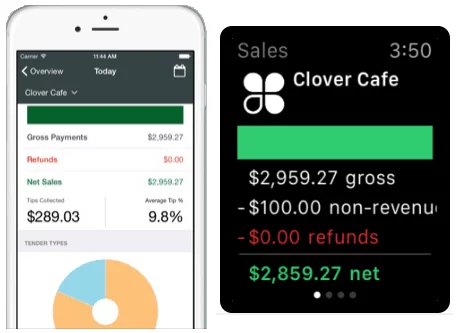
Revenue tracking: An integrated POS system should include software that lets you track revenue. The revenue tracking should give you an idea of how much you’re bringing in overall and how many sales you make each hour.
-
Online payments: Some integrated POS systems are meant to work on-the-go, meaning you can accept payments from customers no matter where you are. That function can come in handy if you regularly make sales at pop-up shops or fairs or if your business has you traveling from one location to another.
-
Sales reporting: With an integrated POS, you can use software that tracks sales across a day, a week or a longer period. The software can also help you see what’s being sold “on sale” or at a discount and what items, if any, get returned. POS systems also help you track sales across multiple channels and locations, providing a comprehensive view of your business performance.
-
Offline functionality: Many POS systems offer offline functionality, allowing you to continue processing sales and managing inventory even during internet outages, ensuring uninterrupted business operations until you reconnect.
Management:
-
Employee management: Another common software feature in an integrated POS system is employee management. The system gives employees a place to clock in and out. It can also provide information about tips and tip pooling, help you track commission based on each employee’s sales and manage payroll and benefits.
-
Inventory management: An integrated POS system often offers software that will let you track inventory. You can see how much of a product you have remaining in real time. Automated inventory tracking leads to fewer errors compared to manual methods, reducing mistakes such as incorrect orders or inventory shortages, which is especially important when you rely on a specialized bookstore POS system to manage a large catalog of titles. There’s no need to rely on spreadsheets or other manual methods of tracking inventory once you have a reliable POS system in place.
Additionally:
-
Customer relationship management (CRM): If your company has a customer loyalty program, your integrated POS system can help you manage it. CRM software will let you collect and utilize customer data, such as purchase history, preferences, and past purchases. This information allows you to see who’s buying what and when they’re buying it, making it easier to personalize marketing efforts and tailor offers. Analyzing customer behavior and past purchases helps businesses improve customer retention by targeting communications and incentives to the right audience. Loyalty programs are designed to reward loyal customers and encourage repeat business, fostering long-term relationships and increasing customer engagement.
-
App integration: Although many POS systems feature proprietary software, it’s also often the case that a POS system will integrate with separate apps. For example, you can often incorporate email marketing into your company’s POS system or connect it to apps and programs such as QuickBooks, scheduling software, time tracking software and more.
How Clover Integrates With Different Solutions
Clover is an integrated POS system that’s available in a variety of configurations. Depending on the needs of your business, you can choose from one of four hardware configurations and one of two software configurations. Clover also integrates with a variety of apps through its app marketplace, and can connect with other systems such as accounting platforms and online sales tools to streamline your operations. In addition, Clover offers comprehensive POS solutions that support inventory management, marketing, loyalty programs, and automation for a range of business needs.
Clover Hardware Options
Clover’s hardware options range from portable devices to systems that sit on a countertop:
-
Clover Go: Clover Go is a small card reader that connects to a smartphone and tablet and works with the Clover Go App, which should be installed on your device. It will let you accept card payments, including chip and contactless cards, as well as mobile payments such as Apple Pay and Google Pay.
-
Clover Flex: Clover Flex is a handheld device that lets you accept card and mobile payments, scan barcodes and print receipts. It has a display where you can capture customer signatures and look up information on sales and inventory.
-
Clover Mini: The Clover Mini is a compact countertop system that will let you accept payments, manage orders and sales, keep track of your employees and more. The Mini will give you the option of growing and expanding as your business’ needs change over time.
-
Clover Duo: The Clover Duo is the largest POS option from Clover. It includes a countertop monitor, barcode scanner, card reader, cash drawer and receipt printer. It will let you accept card payments, put together sophisticated, custom orders, manage employees and manage customer relationships.
Clover’s modern hardware options can also help reduce maintenance costs compared to traditional systems, and the latest Clover devices released for 2026 continue to expand capabilities for different business types.
Clover Software Options
The Clover POS system offers two software options: Register and Register Lite. Register provides more features and functionality, but depending on the needs of your business, Register Lite might be the more appropriate solution. With Register Lite, you can ring up items, accept returns, accept pretty much every type of payment, print, email or text receipts, set up employee permissions and use the Clover App market. Clover’s software also supports online ordering, allowing customers to place orders remotely, and enables businesses to manage online sales alongside in-store transactions for a seamless multi-channel experience.
With Register, you can do everything you can with Register Lite, plus add tips to checks, set up a customer loyalty program, track inventory and put together a mailing list.
Clover App Marketplace
One especially cool feature of the Clover POS system is that it will let you connect other apps or continue to use different software programs. Register Lite and Register software programs can both give you the option of using the Clover App marketplace. By integrating apps with Clover, you gain valuable business insights that help improve overall business performance. Analyzing sales patterns through these integrated apps can also inform your inventory and marketing decisions. The apps that can work with Clover follow.
1. Employee Management Apps
Clover integrates with several apps, including the following, that help to take the stress and hassle out of managing employees’ schedules and making sure everyone gets paid on time:
-
Shifts: Shifts is an app that lets employees clock in and out and helps managers set up employee schedules. It also offers features for restaurant workers, such as totaling up sales and tips.
-
Gusto: Gusto is a payroll processing app that handles paying employees and contractors, either via check or via direct deposit. It also takes care of filing state, federal and local taxes for your business.
-
Tip Pooling: The Tip Pooling app figures out how to divide employee tips and also offers assistance with revenue sharing.
-
Commissions: The Commissions app will help you figure out how much employees are owed based on their sales.
2. Customer Relationship Management Apps
You can connect several apps from the App Marketplace to your Clover POS system that will help you streamline the process of managing customer relationships. Some of your options include:
-
Rewards: The Rewards app will allow you to set up a loyalty program, which can make customers more likely to return again and again.
-
Customers: Customers will let you create profiles for new and returning customers. It will also help you manage their contact preferences and purchase history.
-
Yelp for Business Owners: Yelp for Business Owners will let you manage your company’s presence on Yelp, including interacting with reviewers.
3. Inventory Apps
One particularly useful feature of an integrated POS system is the ability to track inventory. Several apps available through Clover’s App Marketplace help to solve inventory woes, including:
-
stockIt: With stockIt, you can place orders for new product when needed, keep track of what’s on hand and see how particular items are selling.
-
SimpleOrder: SimpleOrder is designed for restaurants and will help you keep track of ingredients on hand. Every time a customer orders a dish, the app will adjust the inventory levels of the ingredients used in each dish.
4. Back Office Apps
Your POS system can and should be connected to the dealings of your back office. Several apps can help to streamline the running of a business, including:
-
QuickBooks by Commerce Sync: The QuickBooks by Commerce Sync will automatically transfer your daily sales data over to QuickBooks, saving you time and money.
-
DAVOS Automated Sales Tax: The DAVOS app will figure out how much sales tax you need to pay, then take care of filing and paying the tax for you.
Still running an outdated register?
VMS sets up a modern Clover POS matched to how your business actually runs — installed, configured, and supported by a team that answers the phone.
Or call our team: 888-902-6227
POS Inventory System FAQs
What is a POS inventory system?
A POS inventory system is a point-of-sale setup where the register and the inventory records are the same system rather than two. Every sale, return, and exchange adjusts stock counts automatically at the moment it happens, so the numbers on screen reflect what is actually on the shelf without anyone counting or keying it in.
How does a POS with inventory management save time?
It removes the reconciliation work. Without integration, someone exports sales, compares them against a spreadsheet, and adjusts counts by hand — usually weekly, usually late at night. An integrated system does that continuously, and most owners get back several hours a week plus the accuracy that comes with removing manual entry.
Can a POS system track inventory across multiple locations?
Yes. Cloud-based systems such as Clover keep a single stock picture across every location, so you can see what is sitting at one store while another is selling out, and transfer between them instead of reordering.
What features should a POS inventory system have?
At minimum: real-time stock deduction at the point of sale, low-stock alerts with reorder points, barcode scanning for receiving and lookups, variant handling for size and color, supplier and purchase-order records, and reporting that shows which items actually turn. Anything less and you are still doing part of the job by hand.
Does a small business really need integrated POS and inventory?
It depends on SKU count more than revenue. A business with a handful of products can manage on a spreadsheet. Once you pass roughly a hundred SKUs, or carry variants, or run more than one location, manual tracking starts costing more in stockouts, dead inventory, and staff hours than the software costs.
Advantages of Integrating POS With Accurate Inventory Management
If you’re still not sold on the idea of using an integrated POS system for your business operations, it can be helpful to look closely at the benefits of combining your inventory management with your sales system. For one thing, an integrated POS system with inventory management can save you a lot of time. When your system is automatically tracking inventory levels, you won’t have to dedicate days or hours inputting data into a spreadsheet. Since you also have the option of using an integrated inventory management system that places orders for you, you won’t have to worry about running out of stock or ingredients. Another reason to use an integrated POS system with inventory management is that it will let you see what’s going on at multiple locations if your company has more than one. Let’s say a customer comes in looking for the newest, coolest toy. You’re out of stock at that location, but a glance at your POS system tells you that your second store has 10 of the item in stock. You can then quickly order the item from your second location and have it shipped to the customer directly or sent to your first location for them to pick up. Integrated POS and inventory management systems also streamline retail operation, making it easier to manage multiple sales channels, stores, and back-office functions for greater efficiency, especially when you use an all-in-one Clover POS system that replaces multiple devices.
Finally, using a POS system with inventory management can help your business save money. With inventory management options, you can get a clear idea of what’s selling when and what’s not so popular. You can then order more of your best-sellers or put more of a focus on promoting those best-sellers and pivot your business away from the less popular items.
In addition to cost savings, integrated POS systems enhance data protection by using features like encryption, PCI compliance, and fraud prevention to safeguard sensitive customer information. This helps prevent data breaches, which can lead to financial penalties and loss of customer trust. By prioritizing security and regulatory compliance, your business can maintain customer confidence and ensure secure transactions.
Have questions about POS systems?
Fill out the form below and a VMS payment specialist will contact you shortly.